

6. Secure One Important Account
You do not have to update every password you have today.
Choose one account where a takeover would cause serious trouble.
A good starting point might be your:
- primary email
- bank account
- cloud-storage account
- Apple or Google account
- password manager
- major social-media account
Check whether the password is unique and whether multifactor authentication is enabled.
If you’ve been reusing the same password across multiple services, make this the account where that pattern starts to change.
The Federal Trade Commission recommends using strong passwords that aren’t reused across accounts and enabling multifactor authentication where available. FTC guidance on protecting online accounts
Multifactor authentication adds another verification step, so a stolen password by itself is not necessarily enough to enter the account.
You don’t need to overhaul your entire digital identity in three minutes.
Improve one important account.
Then improve another during your next reset.
7. Check Your Account-Recovery Information
A secure password isn’t very useful if you lock yourself out and cannot recover the account.
Pick your primary email account or another critical account and check its recovery settings.
Confirm that:
- your recovery email still works
- your recovery phone number is current
- you recognize the devices signed into the account
- old phone numbers have been removed
- outdated recovery information has been updated
People often set these options once and forget them.
Then they change phone numbers, replace devices, abandon old email addresses, or switch carriers.
Years later, the forgotten recovery information becomes important at exactly the wrong moment.
Your primary email deserves special attention because it often serves as the recovery method for many other services.
Losing access to one account is inconvenient.
Losing access to the account used to recover everything else can be much worse.
8. Make Sure Something Important Is Actually Backed Up
Think about the information on your phone or computer that would be painful or impossible to replace.
Maybe it is:
- family photos
- tax documents
- business files
- schoolwork
- writing
- financial records
- contact information
- important notes
- personal documents
Now ask:
“If this device stopped working tonight, where else does this information exist?”
If the answer is “nowhere,” you’ve found a vulnerability.
CISA recommends frequent backups to reduce the risk of permanent data loss and notes that important data can be backed up using appropriate external storage or vetted cloud services. CISA guidance on protecting stored data and backups
You don’t have to back up your entire digital life during this reset.
Choose one important category and confirm that the backup you think exists actually exists.
There is a difference between:
“I think my photos back up automatically.”
and:
“I checked, and my photos are backed up.”
Use the second standard.
9. Finish One Tiny Task You’ve Been Avoiding
Everyone has one.
The task is not difficult.
It’s just annoying enough to keep moving to tomorrow.
Maybe you need to:
- schedule an appointment
- return something
- fill out a form
- reply to a message
- update an address
- make a quick phone call
- submit a receipt
- print a document
- order a replacement item
- confirm a reservation
Pick one task that can genuinely be completed in a few minutes and finish it.
Do not spend your three minutes deciding which task would create the greatest possible improvement in your life.
Choose one.
Do it.
Remove it from your mental inventory.
Small unfinished tasks consume more attention than their size suggests because your brain keeps encountering them:
“I still need to do that.”
A two-minute action can sometimes eliminate a reminder you’ve been carrying for two weeks.
10. Choose the Three Things That Matter Next
Use the final few minutes to prevent today’s reset from immediately becoming tomorrow’s clutter.
Look at what you discovered during the previous nine steps.
Some items were finished.
Others probably weren’t.
Choose the three unfinished actions that matter most.
Not ten.
Not twenty-three.
Three.
For example:
- Cancel unused software subscription.
- Call dentist to reschedule appointment.
- Finish backup of important documents.
Then give those tasks somewhere to live.
Put them on your calendar, task list, or whatever system you actually use.
Don’t rely on remembering them.
If your task system itself has become overloaded, Productivity in 2026: How to Get More Done Without Working More Hours explains why shorter priority lists and visible next actions can work better than continually expanding a giant to-do list.
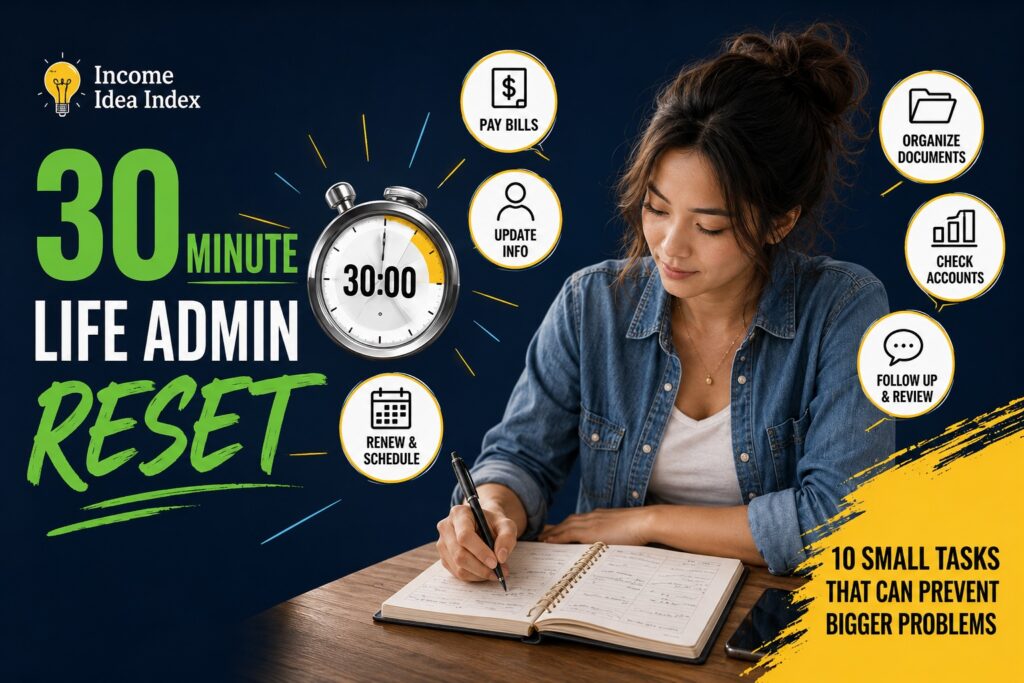
What You Just Accomplished in 30 Minutes
Look at what this simple reset covered.
In roughly half an hour, you checked:
- your upcoming schedule
- account balances and bills
- recurring charges
- recent financial activity
- important email
- account security
- recovery information
- backups
- one overdue task
- your next three priorities
You probably didn’t solve everything.
You weren’t supposed to.
The value of a reset is not perfection.
It is early detection.
You noticed the bill before it became late.
The subscription before another six months passed.
The recovery phone number before you needed it.
The missing backup before the device failed.
The email before the deadline.
The tiny unfinished task before it became another month-old obligation.
That is what makes small administrative habits surprisingly powerful.
Turn the Reset Into a Routine
You don’t need to do this every day.
In fact, doing it every day would probably defeat the purpose.
Try a 30-minute reset once a week, every two weeks, or whenever life begins to feel unusually scattered.
You can also modify it.
Some weeks your finances may need more attention.
Another week might be mostly appointments and paperwork.
Another might reveal that your inbox has become the problem.
The checklist is not a rigid system.
It is a quick way to ask:
“What am I currently overlooking that my future self would rather I handle now?”
That question is useful because life rarely becomes chaotic all at once.
It becomes chaotic one unattended detail at a time.
Don’t Wait Until Everything Feels Out of Control
There is a strange tendency to postpone organization until the situation is already bad.
We clean when the mess becomes unbearable.
Review finances when money feels tight.
Fix passwords after a security scare.
Back things up after losing something.
Check deadlines when one is suddenly tomorrow.
But maintenance is much easier than recovery.
Thirty quiet minutes today can be worth far more than several stressful hours later.
You don’t need a perfect planner.
You don’t need another productivity app.
You don’t need a complicated life-management system.
Sometimes you just need half an hour, ten simple checks, and enough willingness to take care of small things before they become big ones.
Set the timer.
Start with your calendar.
Thirty minutes from now, you may have fewer things quietly waiting to become tomorrow’s problem.