

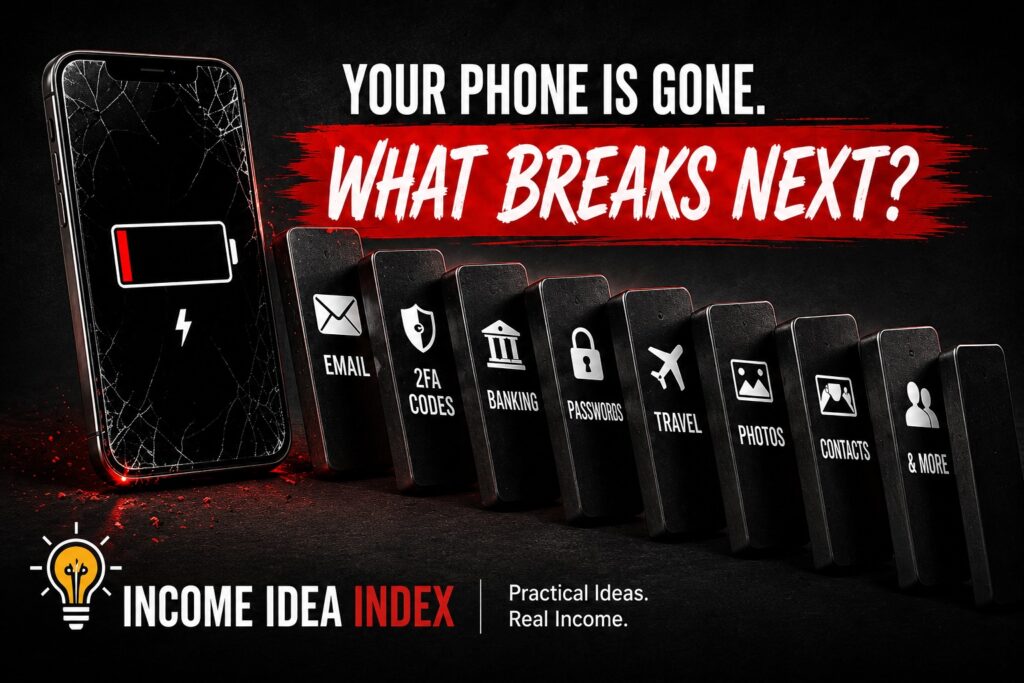
Imagine waking up tomorrow and your phone is gone.
Maybe you left it in a rideshare.
Maybe it fell somewhere you can’t find it.
Maybe it was stolen.
Maybe the screen suddenly stopped working.
Or maybe the phone is sitting right in front of you, but you can no longer unlock it.
At first, the problem sounds simple:
You need another phone.
But then you try to sign in to your email.
The verification code goes to your missing phone.
You try your banking app.
It wants to confirm your identity through your phone.
You need a password, but your password manager is on the device.
Someone asks you for a phone number you’ve known for years, and you realize you haven’t actually memorized it.
Your contacts are there.
Your photos are there.
Your authenticator app is there.
Your messages are there.
Your boarding passes, payment cards, work accounts, notes, calendar, maps, ride apps, and countless other parts of daily life may all be connected to one small device.
The biggest problem with losing a modern smartphone often isn’t losing the smartphone.
It is losing access.
That makes a digital emergency plan surprisingly useful.
And unlike many emergency plans, you can build a basic one without spending an entire weekend doing it.
Your Phone Has Quietly Become a Master Key
Think about everything your phone can unlock.
For many people, email is one of the most important accounts they own because email is used to reset passwords for other accounts.
Your phone may also contain or control access to:
- Bank accounts
- Credit cards
- Investment accounts
- Social-media accounts
- Cloud storage
- Your password manager
- Two-factor authentication codes
- Work accounts
- Photos and videos
- Contacts
- Travel reservations
- Digital wallets
- Insurance information
- Medical portals
- Messaging apps
- Shopping accounts
- Subscription services
- Your calendar and reminders
That creates a potential single point of failure.
You may have excellent passwords and two-factor authentication protecting everything you own.
But if every recovery method ultimately depends on the same phone, losing that phone can reveal a weakness you never noticed.
The goal is not to make your digital life completely independent of your phone.
That would be unrealistic.
The goal is simpler:
Make sure your phone is not the only way back into your digital life.
Start With the Account That Unlocks Everything Else
Your primary email account deserves special attention.
If you forget the password to another service, where does the reset message usually go?
Your email.
If a company needs to confirm suspicious activity, where might it contact you?
Your email.
If you need to regain control of an account, what address is often used to prove that you own it?
Again, your email.
So ask yourself a useful question:
Could I sign in to my primary email account today without using my phone?
Do not automatically assume the answer is yes.
Think through the process.
Do you know the password?
Would the service immediately ask for a verification code?
Where would that code arrive?
Do you have another trusted device?
Do you have recovery codes?
Do you have a recovery email address or another recovery method?
If every path eventually leads back to the missing phone, you have found something worth fixing.
Create More Than One Recovery Path
Two-factor authentication is valuable because knowing your password alone should not be enough to enter an important account.
But your second factor should not accidentally become your only recovery path.
Depending on the service, you may be able to use options such as:
- Backup authentication codes
- Another trusted device
- An additional trusted phone number
- A recovery email address
- A security key
- An account recovery contact
- Other identity-verification methods
You do not necessarily need every option available.
You simply want enough redundancy that one missing phone does not stop the entire recovery process.
Google specifically recommends creating backup codes as part of preparing for a lost Android device. Its official guide also walks through checking whether Find Hub is enabled and verifying that your device can actually be located before it disappears. Google: Be ready to find a lost Android device
The principle is straightforward:
Important accounts should have a recovery route that does not depend entirely on the device you might lose.
Start with your primary email account.
Then check financial accounts, your password manager, cloud storage, and any other service that would create a serious problem if you suddenly could not access it.
Backup Codes Aren’t Very Useful If They’re on the Missing Phone
This sounds obvious.
It is also an easy mistake to make.
Suppose you generate emergency backup codes and save a screenshot of them.
Where is the screenshot?
On your phone.
Now suppose the phone disappears.
Your emergency backup disappeared with it.
The same problem occurs if every recovery instruction is stored in a note that can only be accessed through the device you are trying to recover from.
For especially important accounts, keep recovery information somewhere independent.
That might mean a securely stored printed copy of backup codes.
It might mean protected storage accessible from another computer.
It might mean another trusted device.
What matters is separation.
Your recovery system should survive the failure of the thing you are recovering.
Know What Happens to Your Authenticator App
Authenticator apps are another easy place to overlook this problem.
You may have accounts configured to generate temporary login codes through an authenticator.
That is useful—until the only authenticator containing those accounts disappears with the phone.
Different authenticator apps handle backup, synchronization, transfer, and recovery differently.
Don’t wait until your phone is gone to discover how yours works.
Open the authenticator app you currently use and determine what would happen if you installed it on a replacement phone tomorrow.
Would your accounts return automatically?
Would you need another device?
Would you need recovery information?
Would you have to manually reconnect individual accounts?
You do not necessarily need to change anything today.
You simply need to know the answer.
If your phone vanished tonight and you have no idea how you would recover those authentication methods tomorrow, put that on your digital-emergency checklist.
Check Your Password Manager Too
Password managers solve a major problem: humans are terrible at remembering dozens or hundreds of unique, strong passwords.
But once you rely on a password manager, access to the manager itself becomes extremely important.
Ask what you would need to access yours from a completely different device.
Do you know your master password?
Would there be an additional verification step?
Do you have a recovery option?
Are you signed in on another trusted device?
Do you know where the service’s recovery instructions are?
You do not need to memorize every password stored in the manager.
That defeats much of the purpose.
But you should understand how to regain access to the manager itself.
Your password manager is effectively a vault.
Make sure you know where the spare key is.
Turn On the Tools That Help You Find the Device
Modern smartphones include tools designed for exactly this situation.
Apple provides Find My for supported Apple devices.
Google provides Find Hub for supported Android devices.
Depending on your device and settings, these services can help you locate a phone, make it produce a sound, secure it, mark it as lost, or remotely erase it.
Apple’s official Find My guidance explains how to locate a missing device, mark it as lost, and use iCloud if you do not have another Apple device available. Apple: Use Find My to locate a lost device
Android users can use Google’s official Find Hub guidance to verify that location and device-finding features are enabled before anything goes wrong. Google: Prepare Find Hub for a lost Android device
The important thing is not simply knowing that the feature exists.
Make sure yours is actually configured.
Someday when nothing is wrong, open the appropriate device-finding service from another device.
Confirm that your phone appears.
You don’t need to mark anything as lost.
You certainly don’t need to erase it.
You’re simply verifying that the system you expect to rescue you during an emergency actually works.
That five-minute check can eliminate a lot of confusion later.
Back Up the Information You Would Actually Miss
There are two different losses when a phone disappears.
The first is access.
The second is data.
You may be able to buy another phone tomorrow.
You cannot necessarily replace years of photos, videos, notes, messages, documents, or other personal records.
Modern smartphones offer backup and cloud-synchronization options that can make restoring a replacement device much easier.
But don’t merely assume your backup is working.
Check.
Look at the date of your most recent device backup.
Check whether photos are being synchronized where you expect them to be.
Think about applications that may store important information locally rather than in the cloud.
Ask yourself:
If this phone stopped working permanently five minutes from now, what would I actually lose?
If the answer includes something you would genuinely care about, determine whether another copy exists.