

Problem #9: Every Correction Can Accidentally Change Something Else
This is one of the most frustrating parts of AI image generation.
You finally get an image where:
- the face looks right;
- the composition works;
- the clothing fits;
- the lighting looks good.
But one object is wrong.
You ask the AI to fix that object.
The object improves—and now the face looks different.
This happens because generative editing may reconstruct more of the image than you expected.
The solution is to make corrections as narrowly as possible.
Instead of:
Fix this image.
use something closer to:
Keep the subject, face, hairstyle, clothing, pose, background, lighting, camera angle, and composition unchanged. Correct only the orientation of the notebook so it naturally faces the person using it.
The instruction identifies both the variable and the constants.
That matters.
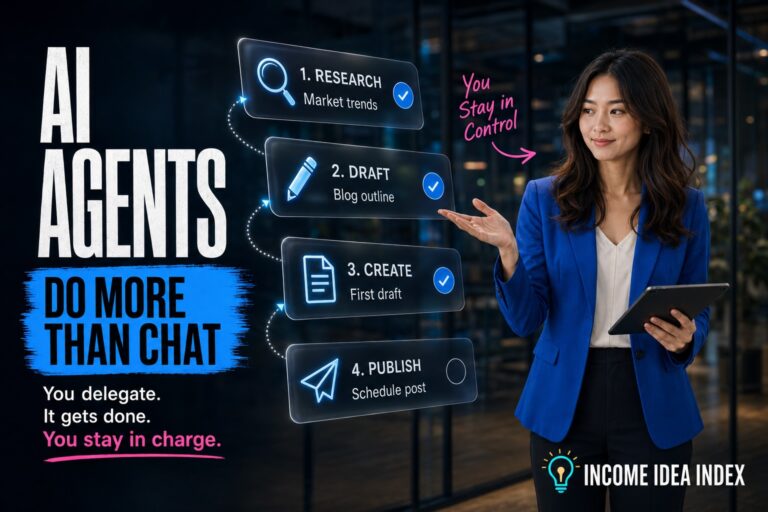
When working with more autonomous AI systems, the same principle applies: define what the system may change and what requires human control. Our guide to AI agents for beginners covers that broader idea of delegation with supervision.
Stop Restarting When the Overall Image Is Already Good
There are two different situations:
The concept failed.
and
A detail failed.
Treating them the same wastes time.
Regenerate When:
- the entire composition is wrong;
- the visual concept does not communicate the intended message;
- the chosen style does not fit;
- several major elements failed;
- the image has no useful foundation.
Edit When:
- the overall composition already works;
- the subject identity is good;
- only one prop is wrong;
- one piece of text needs correction;
- the clothing needs adjustment;
- a minor visual artifact needs removal.
Once an image is 90% correct, regenerating from scratch can throw away the successful 90%.
Protect what already works.
Use a Composition Anchor and an Identity Anchor
For recurring image workflows, two references can be especially valuable.
Composition Anchor
This is an approved image or mockup that establishes:
- layout;
- pose;
- environment;
- object placement;
- headline position;
- visual hierarchy.
Identity Anchor
This is a reference that establishes the appearance of a recurring character or person.
Using both allows you to communicate:
Build this composition, but preserve this identity.
That is much more precise than trying to recreate everything through text alone.
It also reduces one of the biggest causes of repeated corrections: fixing the scene accidentally changing the person, or fixing the person accidentally changing the scene.
A Better AI Image Prompting Framework
You do not need a giant prompt every time.
A structured prompt is usually more useful.
Try building prompts in this order.
1. Purpose
What is the image for?
Blog featured image for an article about AI image-generation mistakes.
2. Main Visual Idea
What should the viewer understand?
A creator frustrated because an AI-generated image on the screen keeps changing important details.
3. Subject and Action
Who is present, and what are they doing?
A creator sits at a desk comparing several AI-generated variations on a large monitor.
4. Composition
How should the scene be arranged?
Wide editorial composition, creator on the right, monitor toward the center, clear visual hierarchy, enough negative space for headline text.
5. Style
What should it feel like?
Polished editorial realism with cinematic lighting and subtle depth.
6. Critical Details
What absolutely must be correct?
The monitor should clearly show several visibly different image variations. The creator should appear mildly frustrated rather than angry.
7. Preservation Instructions
If editing an existing image, what must not change?
Preserve the person’s identity, hairstyle, clothing, desk, lighting, camera angle, and overall composition.
8. Exclusions
What unwanted tendencies should be avoided?
Avoid extra hands, excessive floating interface graphics, random text, distorted objects, and an overly futuristic environment.
That framework provides structure without turning the prompt into a novel.
Create a Visual Plan Before Generating Complicated Images
For complex graphics, going directly from idea to final image can be inefficient.
A better workflow is:
- Define the article’s central visual message.
- Explore a few distinct concepts.
- Choose the strongest concept.
- Create or approve a rough mockup.
- Use that mockup as the composition anchor.
- Generate the polished version.
- Make targeted corrections only where necessary.
This separates creative decision-making from rendering.
Otherwise, every generation becomes both a brainstorming session and an attempt at a finished image.
That is how dozens of almost-right images can accumulate.
AI tools are supposed to remove friction, but poorly structured workflows can create a strange opposite effect: faster generation leads to more iterations, more choices, and more corrections. That broader pattern is one reason we explored why AI can save time while still making us feel busier.
Keep a Record of What Works
If you frequently generate images, do not solve the same problems repeatedly.
Save successful instructions.
You might maintain a simple set of rules such as:
- preferred featured-image dimensions;
- recurring character identity references;
- preferred visual styles;
- headline placement rules;
- brand colors;
- prop-orientation rules;
- composition preferences;
- common mistakes to avoid.
Over time, these rules become a lightweight visual system.
That allows you to begin the next image with knowledge from the previous one instead of starting from zero.
Remember That AI Image Generation Has Legal and Ethical Considerations
Getting the image visually correct is only part of responsible use.
People using AI-generated visuals for websites, marketing, digital products, or commercial projects should also pay attention to copyright, likeness, disclosure, platform policies, and the terms of the image-generation service they use.
The U.S. Copyright Office’s Artificial Intelligence initiative provides current information about copyright issues involving AI-generated material, including copyrightability and generative-AI training.
For organizations and creators thinking more broadly about responsible AI use, the NIST AI Risk Management Framework provides a framework for identifying and managing AI-related risks.
Rules and policies around generative AI continue to evolve, so important commercial or legal decisions should be checked against current authoritative guidance rather than assumptions.
The Best Prompt Is Not Necessarily the Longest Prompt
One of the biggest misconceptions about AI image generation is that better results require enormous prompts.
They do not.
A 500-word prompt can fail.
A clear 80-word prompt can succeed.
What matters is whether the instructions clearly establish:
- the purpose;
- the focal point;
- the important relationships;
- the composition;
- the visual style;
- the constraints;
- what must remain unchanged.
Every extra detail should earn its place.
If an instruction does not help the AI understand the desired result, it may simply add noise.
Treat the AI Like a Visual Collaborator That Needs Direction
AI image generators are powerful because they can turn ideas into visuals incredibly quickly.
But speed can create unrealistic expectations.
The technology can generate an image in seconds. That does not mean it automatically understands the exact image you have in your head.
Better results come from reducing ambiguity.
Describe the relationships between objects. Establish visual priorities. Specify composition. Protect approved elements during revisions. Use references when consistency matters. Correct individual problems instead of repeatedly restarting.
Most importantly, judge the workflow by the final result and the time required to reach it—not by how quickly the first image appears.
AI image generators will still make mistakes. The difference is that once you understand why those mistakes happen, you can spend less time fighting the tool and more time directing it toward the image you actually wanted.